Social Icons

Photobucket Photobucket Photobucket Photobucket
Showing posts with label upgrade smartphone. Show all posts

Monday, October 29, 2012

Bop to the Top: iOS 6 VS Jelly Bean (Part 3)

The battle is hotter than a fever. The most-anticipated battle comes to a near close. Apple prides itself with their latest iOS 6 promising better apps, performance, and endurance far more than what users expect. However, the Android Jelly Bean is no sweet foe. Google’s latest operating system promises better edge, competence, and performance than all its predecessors. For a brief recap, the iOS 6 already has three points while Android Jelly Bean has two. Currently both have tied twice. Who will get a better grip on the throne? Who will get the coveted crown? Here is the third and final part of this thrilling event:

Cloud Integration
You probably have forgotten to synchronize your phone but Jelly Bean and iOS 6 are here to help you. Both operating systems can back up your data and synchronize it across the cloud for you. iCloud has the same basic functions and performance as any Cloud integration function. Android users also have the same options as the iCloud. Either way, both operating systems have cloud integration features that lets you access your data easily. No high and no lows.

However, there’s a catch. Operating systems allows cloud integration in their respective devices only. The only thing that differs is that this rule does not apply to everything. iCal lets you sync in Google Calendar while Gmail users prefer Sparrow to Mail.

Who gets this round? This is certainly a tie.

Bloatware Apps
Before going into specifics, what are bloatware apps? These are apps that consume a big chunk of your memory because these have many features in them. iTunes and Windows Vista are some of the examples found in computers.

In smartphones, bloatware apps are bloating because they have all the reason to be. They can be deadly and explode when forgotten. If you are intricate enough to maintain these apps, then you can expect these apps to bloat at a stable rate. Many bloatware apps in smartphones are games, so it is inessential to keep these apps. You should be wise in deciding which games to keep. The iOS 6 lets you choose whether to have bloatware in the first place. It’s good for iPhone and iPad users.

Android phones do not come with that option. So, having bloatware apps in these phones may be a burden. However, Android phones have the option of expanding memory through the microSD cards. If you have no choice but to keep these bloatware apps on your phones, then it’s best that you delegate the apps properly and place them accordingly. That way, you can still have a good performing RAM and more memory space.
Who wins this round? Well, it’s best to call this another tie. Both Android phones and Apple’s iPhones have options that you can choose.

Verdict
Between the two, who takes the crown? Well, seriously, it is hard to decide which operating system wins. Android has something iOS 6 cannot offer and vice versa. Users may be oscillating between both operating systems but what matters more is the users’ satisfaction. We might have to send the battle to the legal battlefield to decide who wins and loses.

If you wish to sell your iOS phone for an Android phone or your Android phone for an iOS phone, click here.

Monday, October 8, 2012

Why You Should Sell Old iPhone and Get iPhone 5?

In the realm of technology world everything is seems like a race. Whatever gadget you have might be the big thing today but all of the sudden there will be something new and better will rise. Which will leave you with only two options, its either you have to upgrade or you'll be forever be behind everyone else.

For some it might be a no-brainer. Upgrading becomes the norm and this is not a new thing in the cell phone industry as we know. As soon as you have the newest phone, a newer and better model takes place in the market. When such thing happens, what do you do then? You might find yourself asking should I sell my cell phone?

Let's take a look at the not so recent iPhone 5 release. Would you sell your old iPhone for iPhone 5? If yes, check out this five reasons that would tell you why you should trade it for cash at Cash for smartphones to get iPhone 5!


Monday, September 3, 2012

Clever Ways to Recycle Electronics


Unleash Your Creativity!

Because of the constant movement of the techosphere, and the fast-paced developments in the landscape, our hard-earned possessions like electronic gadgets quickly become outmoded. The sleek device you once drooled over and bought by skipping meals and scrimping on pleasures becomes a useless piece of junk.
And have we ever thought about how to save the broken monitors, the abused keyboards, the defective cell phone, or the downtrodden iPad? If you are tired of the traditional ways of recycling electronics, here are some clever ways to pull off e-recycling and get the direct benefits:

1. Incandescent Bulb Flower Vase
 Incandescent Bulb Flower Vase
Image Credit: www.blog.freepeople.com

Did you just switch from incandescent light bulbs to CFL? If you did, keep those old bulbs out of the trash collectors’ reach!

Instead, you can improvise a flower vase using these light bulbs which you can display at home or in your office. You only need to remove the black that holds the connectors using a handy screw driver.

Choose your favorite flowers and secure the flowers in place through a cello tape.


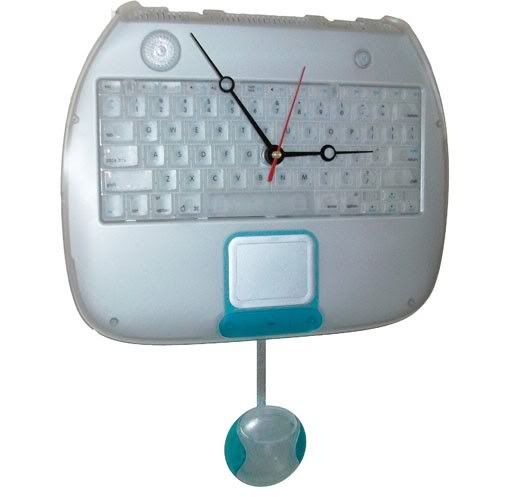
2. Keyboard Clock
keyboard clock
Image Credit: www.oureverydayearth.com
Have you noticed lately how your computer keyboard is missing some of its keys? I guess this only means that you are abusing your keyboard so much that the keys are already starting to fall off.

Nonetheless, you can still reuse the tiny parts of the broken keyboard. See the topmost keys? The F1 to F12? They can serve as digits of an analog clock. Get an existing clock and stick the keyboard keys in place of the real digits. Cover up the manufacturer’s writing and redecorate the whole thing!

3. Mouse Toothbrush Holder
Mouse Toothbrush Holder
Image Credit: www.gizmodo.com


Having trouble with where to keep your toothbrushes? Look no farther than on top of your study desk! Your computer mouse will do just fine.

Remove all its components and find a place on the wall where the mouse can be affixed.

This should preferably be placed beside the mirror or just above the sink where you usually brush your teeth.

4. PC Monitor Pet House
PC Monitor Pet House
Image Credit: www.tillyscottage.com
Do you want a great way to spice up your pet ownership skills? Why don’t you grab a broken computer monitor, take out all its internal components, and decorate the plastic case as the little house of your lovely poodle or your Persian cat. Paint it up and add your personal touch for your pet.

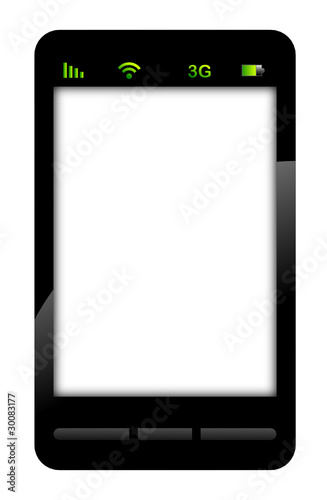
5. Smartphone Picture Frame
Smartphone Picture Frame
Image Credit: www.en.fotolia.com


Are you a sentimental person? Do you consider yourself a preserver of memories that you tend to keep photographs, souvenirs, and other mementos?

Well, then you can use your used or old smartphone to preserve the photos by using their cases as picture frames. For an added effect, it is better to use smartphones with large screens so that 3R and 4R pictures can fit in there.

Perfect for the romantic in you!

Or if you believe your smartphone still has some use, you can recycle cell phones and get cash for it! Help Mother Earth and receive the wonderful benefits of e-recycling!

Try recycling your electronics at Cash for Smartphones!

Wednesday, August 29, 2012

The iPhone Through the Years

A Showcase of iPhone pictures from its humble beginnings
Let’s take a look at the iPhone’s legacy through pictures.

Original iPhone: January 9, 2007
The first iPhone was declared on January 9, 2007, at Macworld in San Francisco, California and was released on June 29, 2007 in the United States. The phone was accessible in both 4GB and 8GB storage capacities, with the original 8GB iPhone for the price of $600.

Many would-be customers were enraged at the phone's expensive price tag so Apple plunged it down after several months. Then, the company offered a $100 store credit to early iPhone users who purchased the handset during its costly days.
Original iPhone 

Monday, July 30, 2012

Performance, Features, and Looks of Your Smartphone

Are you considering an upgrade for your smartphone? Before doing that, you have to get rid of your old phone first.  The smartest way is to sell your used smartphone for cash. That way, you can have some cash for the smartphone you will buy. Of course, before selling your old device, you need to do some things first.  Check its entire interface and make sure that you have noted whatever defects or flaws it has. The functionality of each feature will affect how much you will be getting once you sell it.

When it comes to features, you should consider this rule of thumb: You should not be expecting more than what the real state of your smartphone is. This means that you get only what is appropriate for your mobile phone. There are a lot of features that a smartphone has, but there are ones that may have already decreased in value due to wear and tear.  Check for the screen, the camera, and the battery, among others. People buying your used cellphone would be very practical as to how much they will pay you, knowing these things have been used by another person.


Share With Thanks

This site is all about gadgets and gizmos of today's technology. Dedicated to share information about the latest electronics that people are talking about such as Smartphones, tablets, etc. It also provides tips and guides for selling used electronics because of the fast paced ever changing emerging of the technology specifically on gadget development.

Maristella de Asis
Author, Cash for Smartphones Blog

Facebook Fans